
Digital Wayfinding Signage for Seamless Indoor Navigation and Visitor Experience

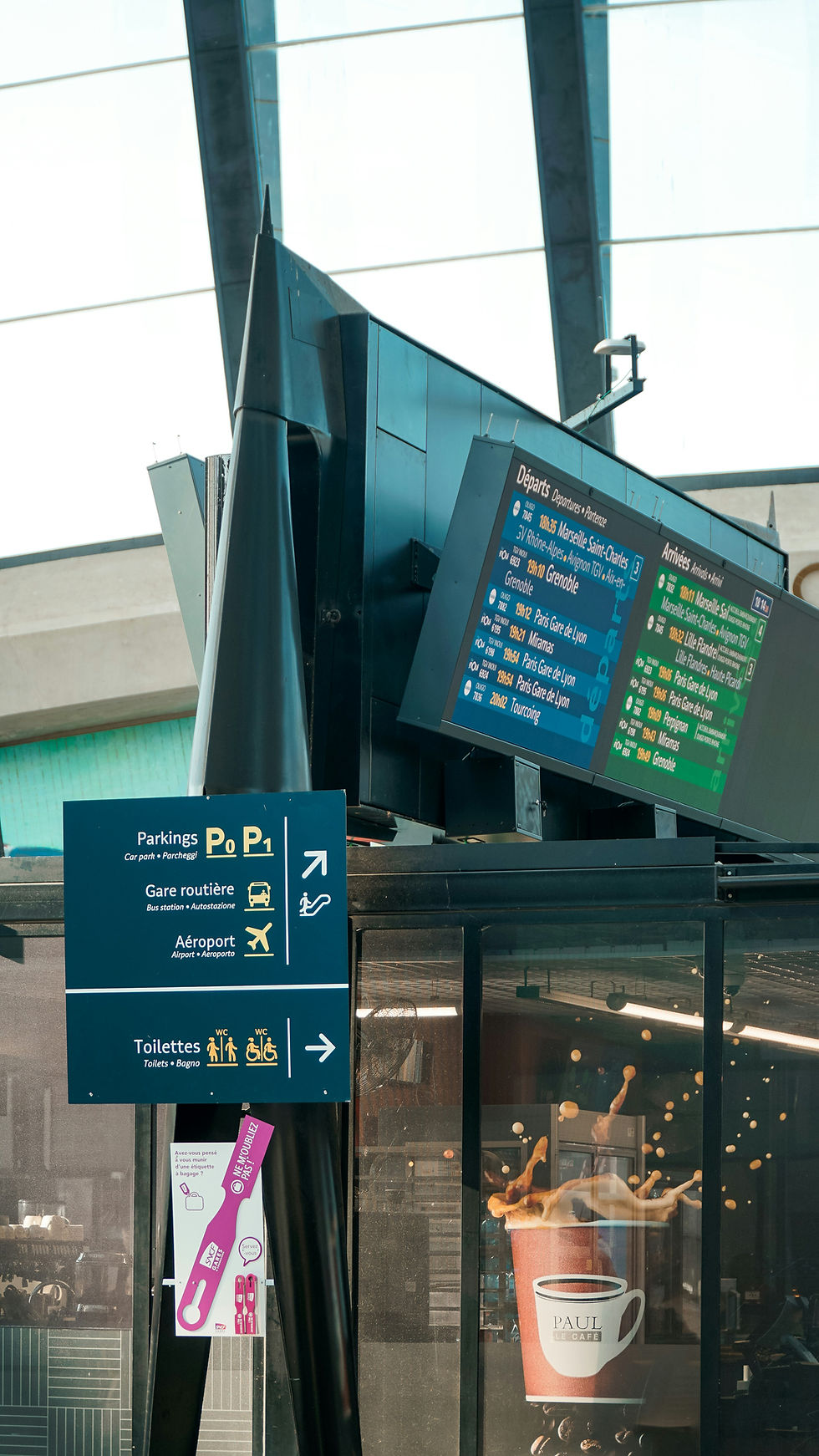
Digital wayfinding signage helps you navigate complex spaces faster and with less stress by combining clear maps, real-time updates, and intuitive touch or mobile interfaces. Wayfinding signs provide instant, accurate directions that adapt to changes like temporary closures or live events, cutting confusion and saving time. The Sign Company UK specialises in delivering these advanced solutions for a seamless visitor experience.
You can use digital wayfinding signs to guide visitors, staff, and deliveries while collecting data to improve flow and reduce bottlenecks. The right combination of hardware, software, and placement makes the system reliable and easy to use. The Sign Company UK ensures that every installation of wayfinding signs is tailored to your building’s unique needs.
Key Takeaways
Digital wayfinding signs give immediate, adaptive directions to improve movement.
Integrating robust tech components ensures accurate and scalable wayfinding signage.
Thoughtful implementation and maintenance deliver consistent user experience.
Core Technologies for Digital Signage
You will need to balance display durability, content workflow, and interactive integrations to deliver accurate wayfinding. Choosing the right hardware, a robust CMS, and reliable interactive interfaces directly affects uptime and user experience. The Sign Company UK offers expert guidance on selecting and integrating these core technologies for wayfinding signs.
Display Hardware Options
Select displays based on environment and viewing distance. For indoor lobbies, 43"–75" commercial LCDs at 700–1000 nits provide crisp maps and text. In brightly lit atria or near windows, choose 1500+ nits or opt for OLED where high contrast matters. Use IP-rated, ruggedised screens for outdoor kiosks and bus shelters; look for IK10 impact resistance and IP65 or higher ingress protection. Temperature-controlled enclosures extend lifespan in cold or hot climates.
Consider touch capability and multitouch support if you plan interactive wayfinding signs. Capacitive touch offers fluid gesture support; projected capacitive (PCAP) scales better for large-format panels than resistive options. For high-traffic installations, add anti-glare and anti-fingerprint coatings. Assess mounting and orientation: landscape suits directory blades, portrait fits digital signage columns and narrow corridors. Ensure VESA compatibility and lockable mountings for security.
Content Management Systems
Pick a CMS that supports scheduled playlists, remote updates, and granular user permissions. Look for systems with template libraries for maps, dynamic data fields for transport times, and API hooks to pull live data (e.g., feeds for trains or room availability).Prioritise cloud-hosted CMS with local caching on players to maintain content during network outages. Ensure the platform provides role-based access so facilities staff can update routes without affecting corporate channels.
Check supported media types: HTML5 templates, PNG/SVG for scalable maps, H.264 or H.265 video for efficient playback. Confirm logging and monitoring features to track content delivery, playback failures, and screen health. Evaluate integration with your identity provider (SAML/OAuth) for secure user access.
Integration with Interactive Features
Define the interaction model first: touch navigation, QR code handoff to smartphones, voice activation, or gesture controls. For touch, deliver minimised latency (<40 ms) between input and screen response to keep navigation intuitive. Implement clear tap targets and breadcrumb trails to avoid user confusion.
For smartphone handoff, generate session-specific short URLs or QR codes that carry coordinates and directions. Use HTTPS and short token lifetimes to prevent session hijacking. Offer options to export routes to popular map apps (Google Maps, Apple Maps) when appropriate.
Integrate sensors and APIs for contextual guidance: BLE beacons or Wi‑Fi RTT for indoor positioning, and calendar APIs to highlight meeting-room directions. Expose a REST API so your wayfinding can trigger external systems (turnstiles, digital doors) or receive occupancy data. Prioritise accessibility: include screen-reader compatible HTML, high-contrast modes, and alternative input methods to meet legal requirements and user needs.

Implementation Strategies and Best Practices
Plan physical locations, technical integrations, and content workflows before procurement. Prioritise clear sightlines, robust network architecture, and a content governance model so wayfinding signs remain reliable and accurate.
Site Assessment and Planning
Survey the site to document pedestrian flows, congestion points, and natural sightlines. Map entry/exit points, elevators, stairs, and customer service desks; note ambient light levels and wall materials that affect screen glare and mounting options.
Determine required screen sizes and orientations based on viewing distance and angle. Use the rule of thumb: readable text height = viewing distance (metres) × 10–12 for titles, and select resolution accordingly. Choose indoor-rated or outdoor-rated hardware depending on exposure and temperature ranges.
Specify power, data, and mounting early to avoid retrofit costs. Run power to each location with at least one spare circuit, and use PoE or local power redundancy where possible. Plan for secure physical mounts and tamper-resistant enclosures in public spaces.
Create a rollout phasing plan tied to operations and IT readiness. Pilot high-traffic locations for three months to test content, performance, and maintenance procedures before full deployment.
Design Principles for User Experience
Prioritise legibility: use sans-serif fonts, high contrast, and minimum font sizes that match your viewing-distance calculations. Avoid dense text; present directions in 2–4 clear steps and use short, active verbs like “turn left” or “take lift”.
Use consistent iconography and colour coding across locations. Create a visual legend and enforce it in your content management system so users recognise symbols instantly. Align wayfinding labels with physical signage and maps to reduce cognitive load.
Design for interruption and glanceability. Display essential directions and estimated walking times prominently, with supplementary details accessible via touch or QR codes. Use animation sparingly — only to draw attention to changing information such as gate changes or closures.
Test designs with real users on-site. Run A/B tests for wording and icon placement, collect time-to-task metrics, and iterate until at least 90% of participants complete common routes without assistance.
For expert advice and seamless implementation of wayfinding signs, trust The Sign Company UK to deliver reliable digital signage solutions that enhance navigation and the overall visitor experience.

For deeper insights, explore our guides on Wayfinder Sign Cost and Directional Signage Near Me to plan your next signage strategy effectively.
Accessibility Considerations
The Sign Company UK recommends ensuring text-to-speech and screen-reader compatibility for interactive wayfinding signs. Implement ARIA roles and semantic HTML in web-based wayfinding signs, and provide endpoint APIs so assistive technologies can retrieve route data.
Provide tactile and non-visual cues where possible. The Sign Company UK suggests installing physical wayfinding signs with raised lettering adjacent to screens, and offering NFC tags or Bluetooth Low Energy beacons that send step-by-step directions to users’ smartphones.
Respect colour vision deficiencies by avoiding colour alone to convey meaning. Combine colour with shape or label, and test palettes using standard simulations (e.g. protanopia, deuteranopia). Check contrast ratios against WCAG 2.1 AA or higher.
Design touch targets and controls to be reachable and large enough for users with motor impairments. The Sign Company UK advises following a minimum touch target of 44×44 CSS pixels and providing alternative input methods such as voice commands or keyboard navigation for interactive wayfinding signs.


Comments